

Network Cabinet Sizing Guide: How to Choose the Right Rack
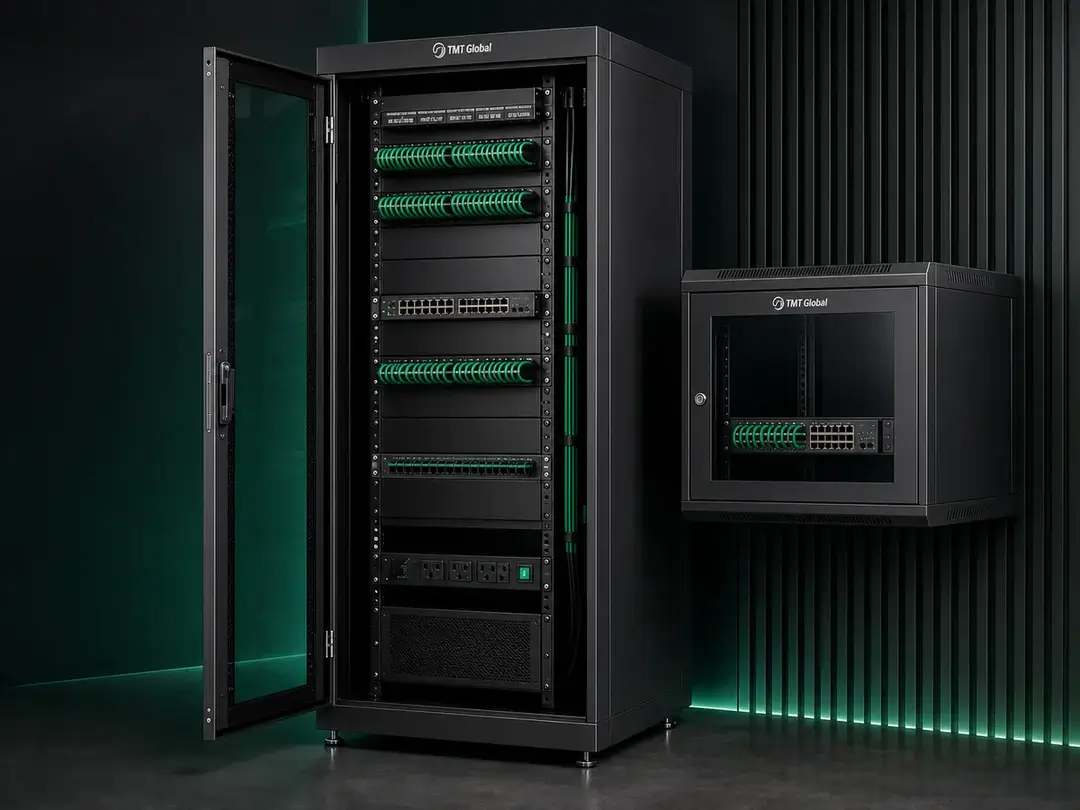
A network cabinet holds the most important equipment in a building: patch panels, switches, servers, NVRs and the power that keeps them running. Choose one that is too small and the installation becomes a tangle of cables with nowhere to grow; choose the wrong depth and the equipment simply does not fit. This guide explains how to size a cabinet step by step and links to the matching TMT Global racks and cabinets.
1. Wall-mounted or floor-standing?
- Wall-mount cabinets (typically 6U to 18U) save floor space and keep equipment at a secure height. Ideal for shops, villas, site offices, small comms rooms and floor distribution points.
- Floor-standing cabinets (typically 18U to 47U) carry heavier loads, deeper servers and side cable management. Used for main comms rooms, server rooms and data centres.
- Open frame racks give the best access and airflow in secure rooms where doors and side panels are not needed.
2. Height: count the rack units (U)
One rack unit (1U) is 44.45 mm. Add up everything that goes in the cabinet:
| Item | Typical height |
|---|---|
| 24-port patch panel | 1U |
| 48-port patch panel | 1U–2U |
| Horizontal cable manager | 1U–2U (one per patch panel or switch pair) |
| 24/48-port switch | 1U |
| Fibre patch panel / ODF | 1U–2U |
| Rack shelf for a router, NVR or modem | 1U–2U |
| Rack UPS | 2U–3U |
| Server | 1U–4U each |
Then add 30–50% spare for growth and airflow. Example: 4 patch panels (4U) + 4 cable managers (4U) + 2 switches (2U) + 1 fibre panel (1U) + 1 shelf (2U) = 13U, plus about 40% spare → choose an 18U cabinet.
3. Width: 600 mm or 800 mm?
Both hold standard 19-inch equipment. 600 mm is enough for most network cabinets. Choose 800 mm when there are many cables (high-density patching, core switches) – the extra width gives vertical cable management at the sides and keeps patch cords tidy.
4. Depth: will the equipment fit?
- Wall-mount 450 mm – patch panels, small switches and routers.
- Wall-mount 600 mm – deeper switches, NVRs and small rack UPS units.
- Floor-standing 600–800 mm – network-only cabinets.
- Floor-standing 1000–1200 mm – servers and storage. Check the equipment depth plus at least 100–150 mm for power cords and cables at the rear.
5. Power, cooling and earthing
- Fit rack PDUs with enough outlets for every device plus spares; a vertical 0U PDU leaves all rack units free.
- Use mesh doors or fans where active equipment produces heat, and fit blanking panels in empty spaces so cool air passes through the equipment.
- Bond the cabinet to the building earth – essential for shielded cabling systems.
- Plan cable entry (top or bottom), lockable doors and, for floor-standing cabinets, castors and levelling feet.
Quick sizing table
| Site | Typical cabinet |
|---|---|
| Villa, shop, small office (up to ~24 points) | 6U–9U wall-mount, 450 mm deep |
| Office floor or CCTV/NVR room (24–96 points) | 12U–18U wall-mount, 600 mm deep |
| Building main comms room | 32U–42U floor-standing, 800 mm wide |
| Server room / data centre | 42U–47U floor-standing, 1000 mm+ deep |
For more detail on specific models, see our floor-standing cabinet series and 18U wall-mounted cabinet articles, and the network cable selection guide for the cabling that goes into them.
Frequently asked questions
Is a bigger cabinet always better?
A little bigger is better – spare space makes changes easy and improves airflow. Very oversized cabinets waste floor or wall space and cost more, so size with 30–50% spare.
Do I need fans?
Passive patch-only cabinets rarely do. Cabinets with switches, PoE equipment, NVRs or servers usually need fans or mesh doors, especially in warm plant rooms.
Can I put a server in a wall-mount cabinet?
Only short-depth servers in a deep wall cabinet. Standard servers need a floor-standing cabinet of 1000 mm depth or more.
Related TMT Global guides
Get a cabinet layout and quotation
Send us your equipment list and we will propose the cabinet size, layout, PDUs and accessories, with datasheets for approval. Contact TMT Global.