

Access Control Cabling Guide: Readers, Locks, Exit Buttons and Controllers
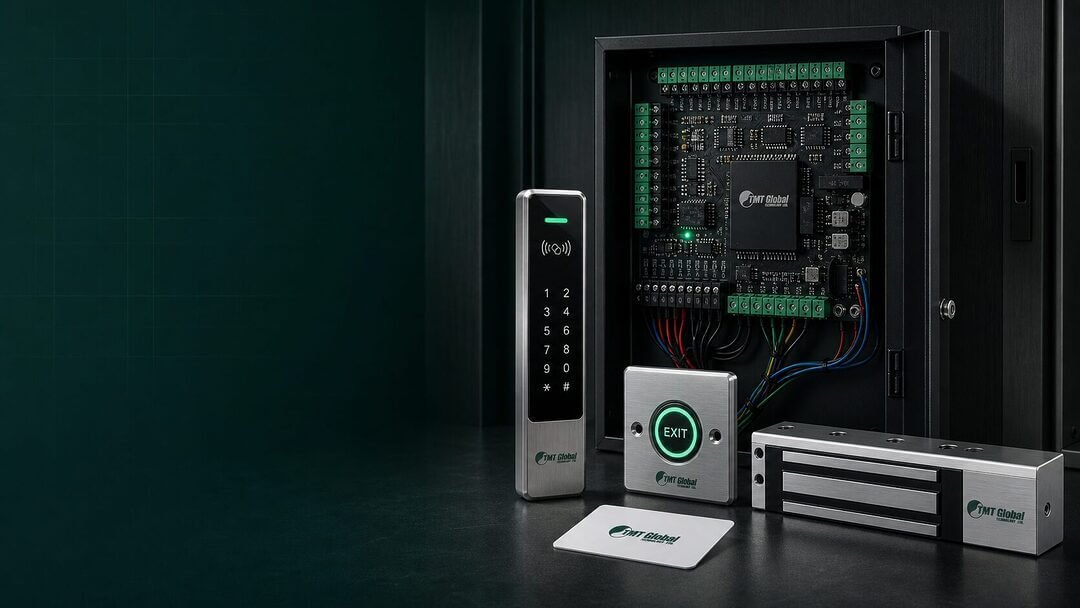
An access control door looks simple from the outside: a reader, a lock and an exit button. Behind the wall it is a small system with its own power, data and safety circuits, and the cable you choose for each one decides whether the door works reliably for years or becomes a constant service call.
This guide explains what each device on a door needs, which cable to use, and how to plan the cabling from the door to the controller. It links to the matching TMT Global access control cables and access control products.
What is on a typical access-controlled door?
- Card or PIN reader – outside the door. Needs power and a data connection to the controller (Wiegand or OSDP/RS-485).
- Electric lock – magnetic lock, electric strike or drop bolt. Needs power from the controller or a dedicated power supply.
- Exit button – inside the door, releases the lock. A simple two-wire contact.
- Door contact – tells the controller whether the door is open or closed, for alarms such as “door held open”. A two-wire contact.
- Break-glass / emergency release – usually required on escape routes so the lock can be released in an emergency. Follow the project’s life-safety design and local authority requirements.
- Controller – the brain that decides who can open the door, usually in a riser, comms room or above the ceiling near a group of doors.
Which cable for each device?
| Device | What it needs | Typical cable |
|---|---|---|
| Wiegand reader | Power + data lines + LED/buzzer | 6 to 8 core, foil-screened security control cable |
| OSDP / RS-485 reader | Power + one twisted data pair | Twisted-pair data cable with separate power cores, such as an OSDP composite from the access control cable range |
| Magnetic lock or strike | 12 or 24 V DC power | 2 core lock power cable, larger conductor for longer runs |
| Exit button | Dry contact | 2 core (or 4 core if the button has an LED) |
| Door contact | Dry contact | 2 core |
Many installers run one composite or multi-core cable per door instead of four separate cables. An 8 core security cable can carry the reader, lock, exit button and door contact on one run; larger doors with more devices may need 12 core or a purpose-made composite.
Why conductor size matters for locks
Locks draw the most current on the door, and voltage drops along the cable. On a long run with thin conductors, a 12 V magnetic lock may receive noticeably less than 12 V and hold the door weakly. Three practical rules:
- Keep the lock power cable as short as possible – place the controller or power supply near the doors it serves.
- Use a larger conductor (for example 18 AWG or 16 AWG instead of 22 AWG) for longer lock runs.
- Where possible use 24 V locks for long distances – the same voltage drop is a smaller share of the supply.
Ask your lock supplier for the current draw and check the voltage at the lock during commissioning.
Screened or unshielded?
Reader data is the circuit most sensitive to interference. Use a foil-screened cable for reader runs, especially where cables share trays with power or lighting circuits, and earth the screen at the controller end only. Lock, exit button and door contact circuits are simple on/off signals and work well on unshielded cable when run separately.
Planning from door to controller
- Group doors per controller. A 4-door network controller placed centrally keeps cable runs short and is the most economical per door; 1-door and 2-door controllers suit isolated doors.
- Stand-alone doors such as a villa gate or a single store room can use a stand-alone keypad and card controller that needs no network at all.
- Network the controllers back to the server or management PC over the building’s structured cabling (Cat6 or Cat6A).
- Label every cable at both ends with the door number and device, and leave a service loop above the door.
- Choose the jacket for the building: LSZH for public and commercial buildings where the specification calls for low-smoke cable, PE for outdoor gates.
Frequently asked questions
Can I use Cat6 cable for access control?
Cat6 works for reader data on short runs, but its thin conductors are not ideal for lock power. Purpose-made access control cable with larger power cores is the safer choice.
What is OSDP and why does it matter?
OSDP is a secure, two-way protocol between reader and controller over a single twisted pair (RS-485). It allows longer distances than Wiegand and supervised, encrypted communication. If the project specifies OSDP readers, use a cable with a proper twisted data pair.
Where should the lock power supply be?
As close to the doors as practical, with battery backup, and arranged so locks fail in the state required by the life-safety design (usually unlocked on escape routes).
Related TMT Global guides
Get a door-by-door cable schedule
Send us your door schedule or drawings and we will propose the cable for each door, plus controllers, readers, locks and exit buttons, with datasheets for approval. Contact TMT Global.